
WNEP The News Station
TEGNANews & Magazines
4.41.67K Reviews
- Version
- 50.23.2
- Installs
- 100.00K
- Age Rating
- Teen
Screenshots

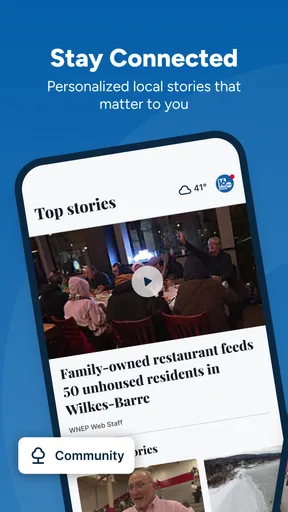
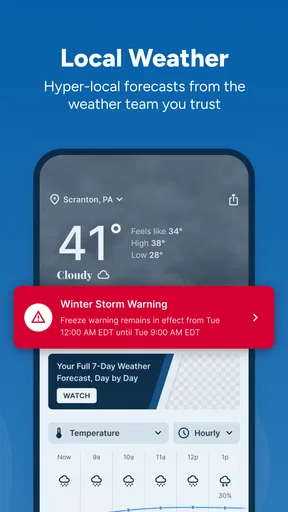
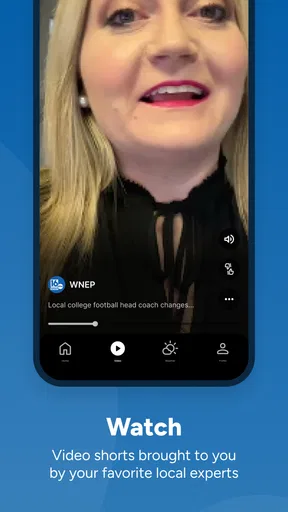
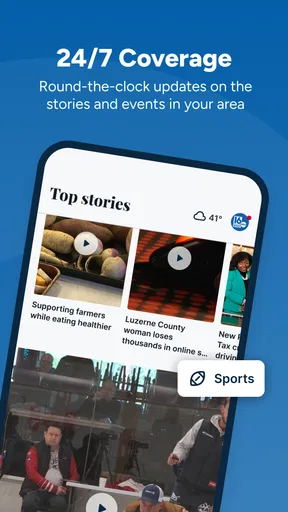
Our Review of WNEP The News Station
 Analysis by Appyee
I started using WNEP The News Station as the kind of app I would keep available for quick local updates rather than as my only source of information. It comes from TEGNA and sits in the News & Magazines category, with a clear focus on breaking news and weather. That focus makes sense in a household where people share information constantly: one person may want a weather check before leaving, another may be following a developing local story, and someone else may simply need a quick look at what is happening nearby.
My overall impression is positive, especially if local relevance matters more to you than having a broad national-news dashboard. It is free, carries a Teen content rating, and has reached over one hundred thousand installs. The average rating is 4.4, based on around six thousand ratings, while the app has about one thousand seven hundred written reviews. Those figures suggest a solid audience, but I still think its real value depends on whether WNEP’s coverage area matches your daily life.
How it works in a shared household
The most useful way to think about this app is as a shared reference point. In my experience, a local news app earns its place on a family phone when it answers practical questions quickly: Is the weather changing before the school run? Is there a local disruption worth knowing about? Has an important regional story developed since breakfast? WNEP The News Station is built around that kind of short, repeated visit.
That makes it different from opening a general news service and scrolling through national headlines. A broad aggregator may offer more topics, but it can also bury local information under stories that have no immediate effect on your household. Here, the local-news identity gives the app a narrower purpose. I would open it when I wanted context for my area, not when I was trying to compare international coverage or build a customized reading list.
A realistic example is a weekday morning when several people are preparing to leave at different times. I might check the weather first, then mention a developing local story to another person in the home. A teenager could use the same app for a quick awareness check, while an older family member might prefer reading the details at a slower pace. The benefit is not that everyone uses it in exactly the same way; it is that the app can support a shared conversation without requiring everyone to search separately.
There is also a useful distinction between a household information tool and a personal news archive. I would not expect every family member to have the same interests, and I would not assume that one person’s preferred coverage is enough for everyone else. The app works best as a common local starting point. If the household needs deep business reporting, specialist technology coverage, sports analysis, or a large international perspective, another news source will probably need to sit beside it.
What I would do before handing it around
On a shared device, I would decide where the app belongs before treating it as a household tool. Keeping it easy to find is helpful for urgent checks, but it also means anyone using that device can open it and encounter the same stream of news. I would place it somewhere visible if the goal is coordination, or keep it less prominent if the device is mainly used by a younger person who does not need frequent news access.
I would also explain the app’s role rather than presenting it as an all-purpose authority. Local news is useful for awareness, but an important decision may require checking official information as well. For example, if a story affects travel, school arrangements, or safety, I would use the app to understand what is happening and then look for the relevant official instructions. That habit is more valuable than simply telling everyone to trust the first headline they see.
One practical tip is to agree on what counts as a useful update. In a busy home, constant sharing of every headline can become noise. I would reserve household messages for information that changes plans, affects the local area, or adds meaningful context. This turns the app into a coordination aid instead of another source of interruptions.
Setup, account boundaries, and everyday coordination
The app runs on Android devices using at least Android 7.1, and the current version is 50.23.2. That gives it a relatively broad compatibility range for people who keep an older phone or a spare household device in use. I would still install it on the device that is most convenient for quick checks, because local news loses some of its value if opening the app becomes a chore.
Since it is free, the financial decision is straightforward. The more important question is whether you want another news source on the phone and whether its local focus is relevant. Free does not automatically mean frictionless: news apps can compete for attention, and a shared device can make that more noticeable. I would be selective about which apps deserve a permanent place on the home screen.
For a shared phone or tablet, I would keep account boundaries clear. I would not assume that one person’s reading habits, saved preferences, or notification choices should represent everyone else. If the device is used by several adults, each person should know that opening the app is simply viewing the same news service, not entering a private family workspace. That distinction matters because news consumption is personal even when the device is shared.
I also think the app is better suited to quick, intentional visits than to endless background browsing. My preferred routine would be to open it at a few natural points in the day: before leaving home, during a break, or when someone mentions a developing local event. That approach helps preserve attention and makes it easier to notice genuinely relevant changes.
Another useful workflow is to separate “check now” information from “read later” information. A weather update may only need a brief glance, while a complicated local story deserves more time and perhaps confirmation from another source. I would avoid treating every item as equally urgent. The app becomes more manageable when I decide in advance whether I am checking conditions, scanning headlines, or trying to understand an event.
That is also where the app differs from a newspaper-style reading experience. A traditional publication may encourage a longer, more deliberate session, while a local station app is more naturally connected to the rhythm of the day. I like that immediacy, but it can feel limited if I want a deep, uninterrupted reading experience. For that purpose, I would choose a dedicated publication or browser rather than expecting this app to cover everything.
Coordinating without turning news into noise
In a household, the strongest use case is coordination. One person can check the local situation and pass along only what affects the others. That might mean adjusting a departure time, reconsidering an outdoor plan, or starting a conversation about a regional event. The app does not need to manage the household directly to be useful; it simply gives everyone a common local reference.
My advice is to avoid making one person the permanent news gatekeeper. If only one adult checks the app and summarizes everything, important context can be lost and the routine becomes dependent on that person. A better arrangement is for anyone who uses the shared device to know how to perform the basic check themselves. That keeps the information available even when schedules change.
I would also avoid forwarding headlines without reading enough to understand them. A short title can be useful for alerting someone, but it may not explain the timing, location, or practical effect of a story. In a family chat, I would add a sentence explaining why the item matters rather than sending a headline alone. That is a small habit, but it reduces unnecessary worry and confusion.
For people who live alone, the same workflow still applies in a different way. The app can provide a quick local snapshot before work or travel, while a second source can fill in broader context. For roommates, it can support shared planning without requiring everyone to have identical interests. The key is to use its local emphasis deliberately instead of expecting it to replace every other news service.
Age, trust, and choosing the right audience
The Teen content rating is worth taking seriously in a family setting. News can involve upsetting events, crime, emergencies, conflict, or other subjects that are not comfortable for every child. I would not hand the app to a younger user with the assumption that a news label makes all content suitable. An adult should consider the child’s maturity and decide whether independent browsing makes sense.
For teenagers, I can see a reasonable educational value. Local stories can help them understand the place where they live, follow issues that affect school or transport, and practice distinguishing immediate information from commentary. I would encourage them to read beyond the headline and ask basic questions: where did this happen, when was the information published, and what action is actually required?
That last point is especially important during fast-moving situations. A local news app can be a useful first alert, but news develops. I would not use any single article as the only basis for a safety decision, a medical choice, or a major travel change. The app is valuable for awareness and context; official instructions remain important when the situation calls for them.
Trust also has a household dimension. Different family members may interpret the same story differently, especially when it concerns a sensitive local issue. I would treat the app as a way to begin a conversation, not as a tool for winning an argument. If a story matters, compare its details with another reliable source and focus on what is confirmed rather than reacting to the most dramatic wording.
Compared with social media, the app feels like a more focused place to start looking for local information. Social platforms may surface eyewitness comments quickly, but they can also mix speculation, repetition, and unrelated material into the same feed. Compared with a search engine, this app removes some of the effort involved in finding local coverage. Compared with a national news app, it sacrifices breadth for regional usefulness. Those trade-offs are clear, and I prefer that clarity to an app pretending to serve every purpose equally well.
Still, I would skip it if my main interest is international news, specialist reporting, or a highly personalized reading system. I would also skip it if I lived outside the area served by WNEP’s local coverage and had no reason to follow that region. In that situation, a local service for my own community would be more useful, even if it had fewer general features.
Small habits that improve the experience
My first recommendation is to open the app with a question in mind. “What is happening locally this morning?” is better than opening it automatically and scrolling without a purpose. A question gives the visit a natural endpoint and helps prevent the app from becoming background noise.
My second recommendation is to use weather and news together but not confuse their roles. Weather can affect an immediate plan, while a news report may require more context and verification. Checking both in one visit is convenient, but I would not treat a quick weather glance as proof that a broader local situation is fully understood.
My third recommendation is to make a household rule for sensitive stories. If a younger person uses the device, an adult can decide whether to discuss a difficult headline before the child explores further. That is not a substitute for age-appropriate supervision, but it is a sensible way to keep a shared news routine thoughtful rather than automatic.
A fourth useful habit is to revisit a developing story instead of assuming the first version is complete. Local events can change quickly, and later details may alter the practical meaning. I would check back when the issue affects plans, then compare important instructions with the responsible organization. This is one of the main differences between casually reading news and using it responsibly.
My household verdict
After using WNEP The News Station as a local information tool, I would recommend it to people who want quick access to regional news and weather from a recognizable local source. Its strongest quality is focus. It does not need to compete with every national publication to be useful; it simply needs to help people understand what may matter in their area today.
I especially like it for households that need a common starting point. A shared phone, family tablet, or personal device can all support the same routine: check the local picture, identify anything that affects plans, and verify important instructions elsewhere when necessary. That workflow is practical without pretending that a news app can coordinate a family by itself.
The limitations are just as important. The local emphasis will not suit everyone, and the Teen rating means adults should think about how younger users encounter the content. It is also not the best choice for readers seeking deep specialist coverage, a broad international overview, or a fully personalized news library. Those readers may be happier with a different category of news service alongside, or instead of, this one.
For me, the free price and broad support for older Android devices make trying it easy, while the local focus gives it a clear reason to stay installed. I would keep it for quick checks and household conversations, not as my only source for important decisions. If that matches the way you want to follow your community, WNEP The News Station is a sensible addition to an Android news routine.
In short, the app is most valuable when local awareness leads to a useful action: checking conditions before leaving, understanding a regional development, or giving the household information it can actually use. I would recommend it to local-news readers who prefer a focused station app, and I would point broader, specialist, or highly independent readers toward alternatives that match those needs better.
Verdict
Strengths of WNEP The News Station
- Covers local news, weather, traffic, and community updates in one app.
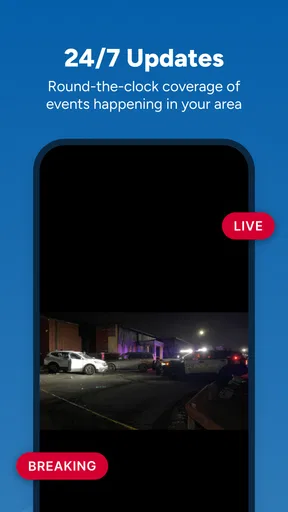
- Live streaming helps users follow breaking news as it happens.
- Weather alerts and forecasts are useful for planning the day.
- Push notifications can deliver important regional updates quickly.
- Simple sections make headlines and videos easy to browse.
Limitations of WNEP The News Station
- Coverage is mainly focused on northeastern Pennsylvania.
- Frequent notifications may feel excessive for some users.
- Video playback can use significant mobile data.
- Some content may load slowly on weaker connections.
- Advertising can interrupt browsing and video viewing.
Other Releases by TEGNA
View All
WFAA - News from North Texas
News & Magazines4.2

KARE 11 News
News & Magazines4.2

Cleveland News from WKYC
News & Magazines4.2

Knoxville News from WBIR
News & Magazines4.6
Similar Picks in This Category
View All
Google News - Daily Headlines
Google LLC4.0

X
X Corp.4.8

Flipboard:Your Social Magazine
Flipboard3.4

Opera News: breaking & local
Opera4.5

Hindi News by Dainik Bhaskar
Dainik Bhaskar Group4.0

Way2News Daily News App
Way2News ( Formerly Way2SMS )4.6
Frequently Asked Questions
What is WNEP The News Station, and what content does it provide?
WNEP The News Station is the official news app for WNEP-TV, serving viewers in northeastern and central Pennsylvania. After exploring the app, I found that it focuses on local and regional reporting, including breaking news, weather forecasts, traffic updates, sports, community stories, and video coverage. It is designed for users who want quick access to news from the WNEP viewing area.
Can I use WNEP The News Station to receive breaking-news and weather alerts?
Yes, the app can provide notifications for important local developments, severe weather, and other urgent updates, depending on the permissions enabled on your device. During setup, users can generally choose whether to allow alerts. These notifications are useful for storms and breaking stories, although the frequency may vary. You can manage or disable them later through the app or your phone’s settings.
Does the WNEP app include live streaming and on-demand video?
WNEP The News Station includes video content such as news reports, weather segments, interviews, and other local coverage. Availability of live broadcasts or live streams may depend on your location, broadcast schedules, account requirements, and rights restrictions. Some videos may contain advertising or require a stable internet connection. If a live stream is unavailable, the app typically remains useful for watching clips and recorded reports.
Is WNEP The News Station free to download and use?
The app is generally available to download at no charge from the official Android or iOS app store. Most news articles, forecasts, alerts, and video reports can usually be accessed without a subscription, but mobile-data charges may apply when using cellular networks. Certain live or premium features could have additional requirements, so users should review the current store listing and in-app terms before relying on every feature.
What permissions and device requirements should I consider before installing it?
WNEP The News Station may request permission to send notifications, use your approximate location for local weather and news, and access network connectivity for articles, images, video, and alerts. Location access can often be adjusted or denied, although this may reduce personalization. Before installing, make sure your device runs a supported version of Android or iOS and has enough storage for app updates and cached media.
